.png)


Summary
- UGC aggregation pulls authentic customer content from social platforms into one place for display across websites, apps, and digital screens.
- Social media aggregator tools simplify this process by collecting, moderating, and displaying UGC without coding or developer support.
- Brands that display UGC on product pages and landing pages see measurable increases in conversions, time on site, and buyer confidence.
-
- Effective UGC display requires content moderation, rights management, the right layout choices, and placement at key decision points.
Most brands already have a library of user-generated content they have never used. Customers tag them on Instagram. Guests leave Google Reviews after a great stay. Fans share TikTok videos wearing their products. All of that content sits on social media, building trust with a small slice of each platform's audience, while the brand's own website runs on stock photos and marketing copy.
The best way to aggregate and display UGC is to bring those real customer stories off social platforms and place them where buying decisions happen: your product pages, landing pages, event screens, and email campaigns.
Posts featuring UGC drive 10.38x higher conversion rates than posts without it. That number is hard to ignore. In this blog post, we walk through how to collect UGC from multiple platforms, where to display it for maximum impact, and how to set up the entire process with minimal effort.
What Does UGC Aggregation Mean?
UGC aggregation is as simple as collecting content from multiple social platforms and displaying it in one place. This can include your customer photos, videos, reviews, testimonials, and social posts tagged with your brand.
Without aggregation, all of this lives on separate platforms. Instagram has its own feed. TikTok has its own algorithm. Google Reviews sits on a different page entirely. Each platform controls how that content gets seen and shared. Your website visitors never see most of it.
A social media aggregator pulls everything together. You choose which hashtags, @mentions, or accounts to track, and the tool automatically collects matching posts. You can then moderate, organize, and display that content on your website, app, or digital screen.
The practical benefit is that your marketing team no longer has to manually copy posts from five different platforms. Feeds stay fresh because they update automatically. Real customer content shows up at the exact moment someone decides whether to buy, attend, or engage.
Why Displaying UGC Actually Works
Great advertising can bring potential customers to your doorstep. Social proof is what nudges them to walk in.
Research shows that 92% of consumers trust peer recommendations over brand advertising when shopping online. That gap between what brands say about themselves and what customers say about them keeps widening. And for most buyers, especially millennials and Gen Z, a real customer photo carries more weight than a polished studio shot.
When you display UGC on your website, you're putting that trust directly into your sales funnel.
- Visitors see real people using your product
- They read honest feedback
- They watch videos from customers who look like them, shop like them, and face the same decisions
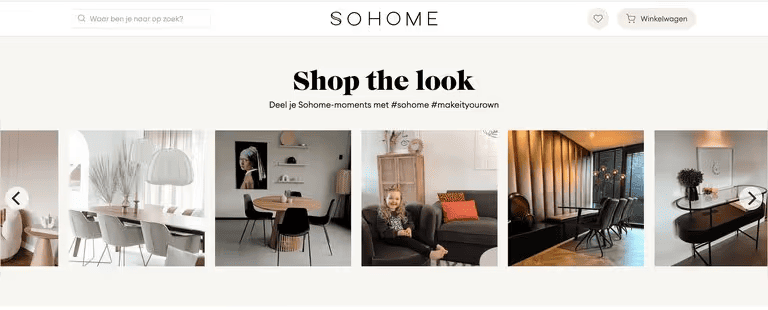
Sohome is a great example of this in action. The furniture brand embeds a shoppable Instagram wall on its Shopify store. Visitors browse real customer photos showing how they've styled their furniture at home. When someone clicks on an image they like, the product page for the tagged product opens right away. That direct path from social proof to purchase is extremely powerful.
3 Ways to Aggregate UGC (And Which One Actually Scales)
There are a few different approaches to aggregating UGC. There’s no right or wrong one here. It depends on how much content you're working with and how much time your team wants to spend on it.
- Manual collection: This is the most basic option. You take screenshots of posts, download images, and upload them to your website yourself. This works if you only need a handful of posts. But it falls apart fast. Content goes stale within days. Updating takes time. And if you run campaigns across multiple platforms, you spend more time collecting content than using it.
- Native embeds: Platforms like Instagram or X let you embed individual posts on a page. The problem? Each embed pulls from a single platform and shows a single post. If you want a feed of 20 customer posts from five different platforms, you'll need to manage each embed separately. And if the original post gets deleted, your embed breaks.
- Social media aggregator tools: They handle everything from one dashboard. You connect your platforms, set up feeds based on hashtags or accounts, and the tool automatically collects content. You moderate what shows up, pick a layout, and embed the feed on any page with a simple code snippet. Feeds update on their own, and in most cases, require no manual work after setup.
Most marketing teams that work with UGC at any real volume go with the third option. It saves hours every week, keeps content current, and gives you full control over what appears where.
6 Features to Look for in a UGC Aggregation Tool
The wrong choice of social media aggregator can mean spammy content slipping through to your website or breaking your layouts. Here are a few factors to consider when choosing a tool:
- Platform coverage: Your tool needs to connect to every platform where your customers create content. At minimum, that means Instagram, TikTok, YouTube, Facebook, X, LinkedIn, and Google Reviews. If your audience is also active on Pinterest, Bluesky, or you pull content from RSS feeds, make sure those are covered, too.
- Content moderation: This one is non-negotiable. You need to control what goes live on your site. Look for manual approval workflows for smaller volumes, automated filters to catch spam and profanity, and, ideally, AI moderation (especially for multiple or larger campaigns) that screens content before your audience ever sees it.
- Layout flexibility: Different placements call for different formats. A social wall looks great on event screens and homepages. A grid fits nicely on product pages. A carousel works well inside blog posts and emails. A slideshow is ideal for digital screens in lobbies or campuses. If you need additional customization, look for a platform that offers a social media API as an upgrade.
- No coding needed: Your marketing team should be able to set everything up, customize layouts, and embed feeds.
- Unlimited layouts and views: Some tools charge per wall or per embed. That pricing model limits how many pages you can add UGC to, which defeats the whole purpose. Look for tools that let you create as many layouts as you need on a single plan.
- Automatic refresh: Feeds should update every few minutes without any manual intervention. The whole point of displaying UGC is to keep your site feeling alive with fresh content.
How to Set Up UGC Aggregation and Display With Flockler
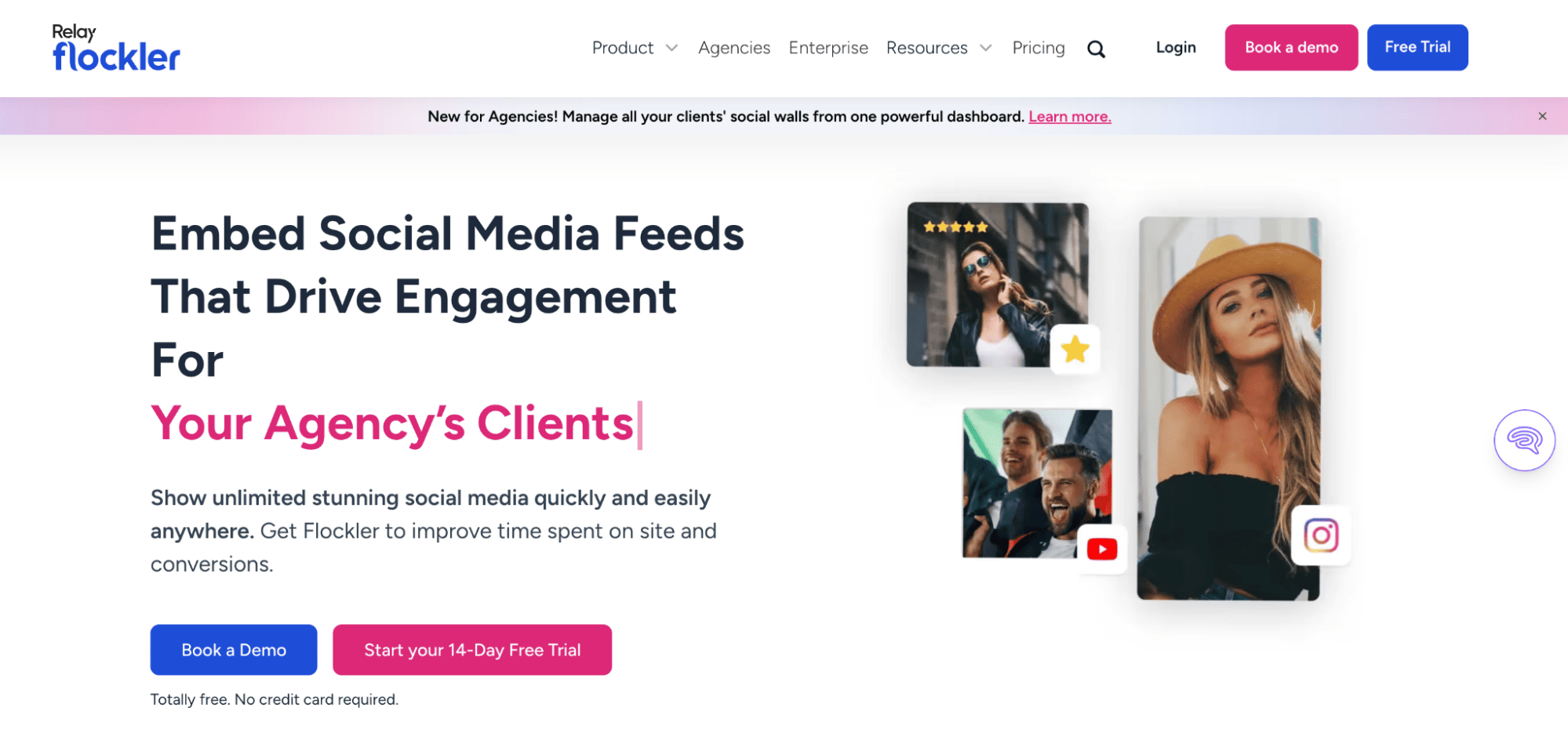
Flockler connects to 13+ social platforms, including Instagram, TikTok, Facebook, X, YouTube, LinkedIn, Bluesky, Pinterest, Google Reviews, RSS feeds, Flickr, and SoundCloud. Over 2,000 brands use it, including GoPro, Harvard University, IKEA, and Philips. Here's how to get started:
Step 1: Sign up and connect your sources: Head to Flockler and start a 14-day free trial. No credit card is required to avail this. In the free trial, you can access all the Basic plan’s features. Connect the social accounts, hashtags, or @mentions you want to pull content from. Each connection is a "feed," and the number of feeds depends on your plan.
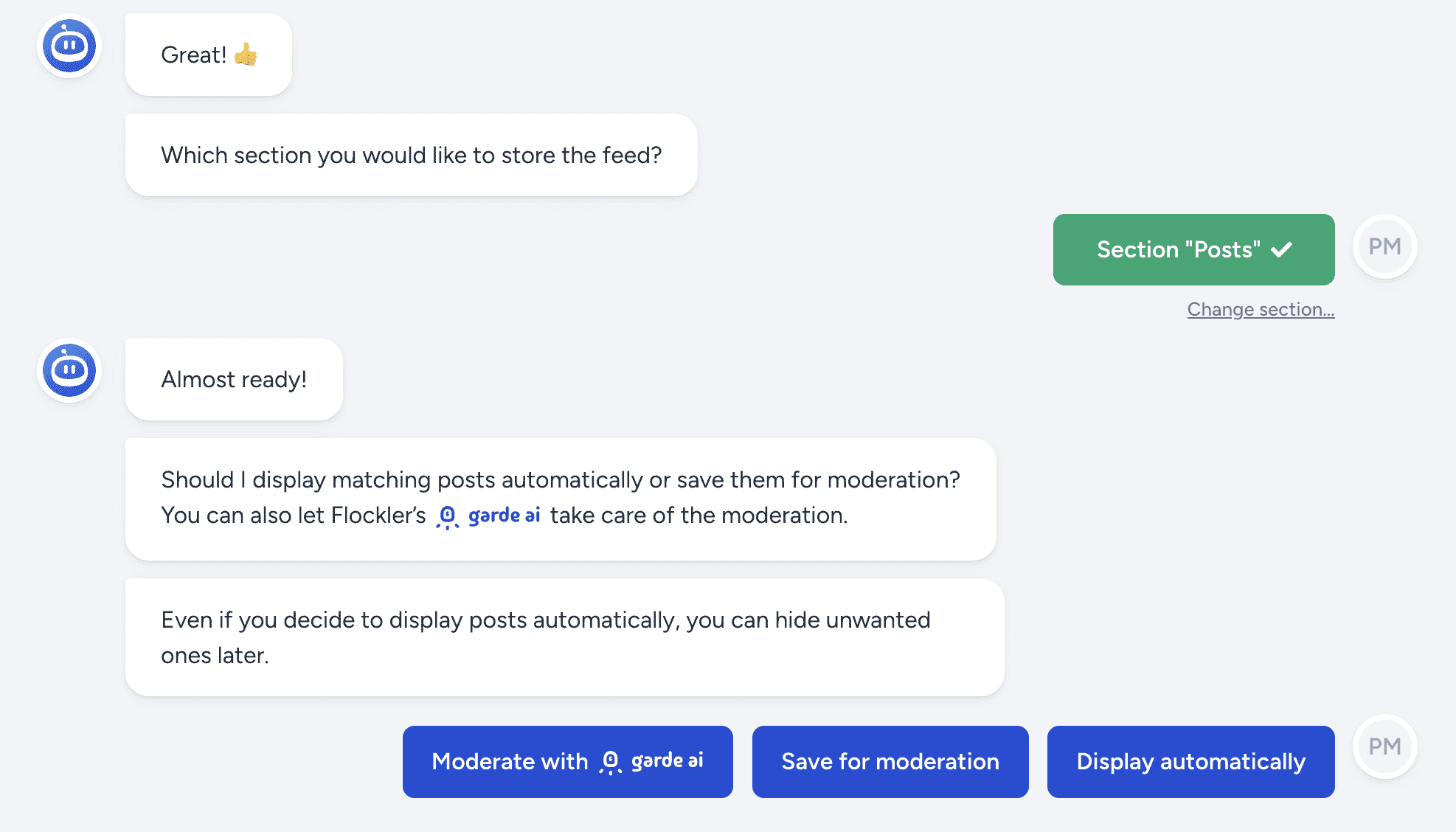
Step 2: Pick your moderation mode: Flockler offers three options. You can review and approve every post manually through the Editor inbox. You can let posts publish automatically with filters. Or you can turn on Garde AI, which screens every incoming post and only publishes brand-safe content. Garde AI is available on Business, Pro, Premium, and Agency plans.
Step 3: Choose a layout: You get four options: Wall, Grid, Carousel, or Slideshow. Customize the colors, fonts, and sizing to match your brand. If you need more control over how content appears, Flockler also offers a Content API on Premium and Agency plans. It lets your dev team build fully custom layouts and pull curated UGC directly into your own applications or digital experiences.

Step 4: Embed your feed: Copy the embed code and paste it into your website, app, intranet, or digital screen. Flockler works with WordPress, Shopify, Squarespace, Webflow, and pretty much any other CMS or website builder.
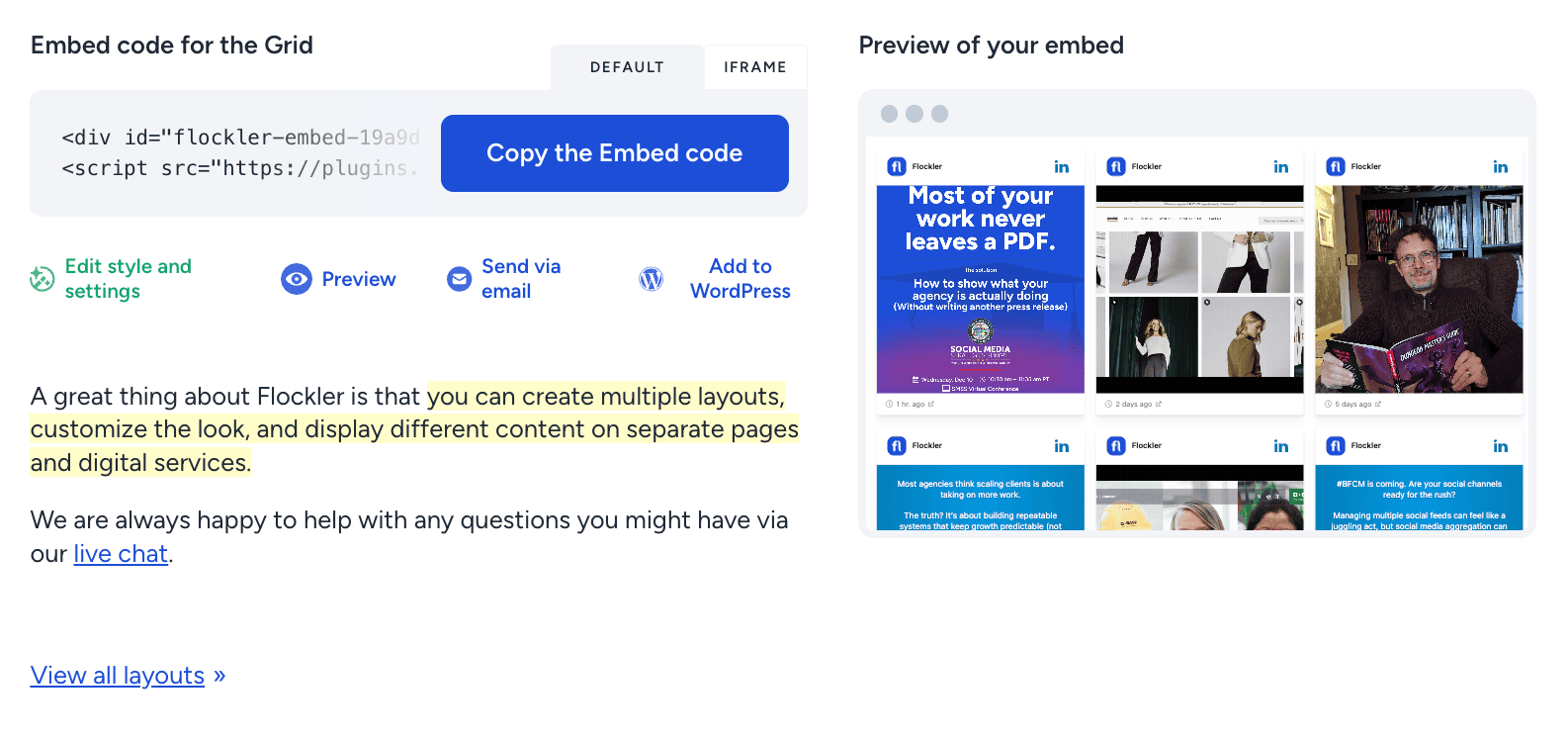
From here, new posts appear on your site automatically as customers create them. You can create unlimited layouts across unlimited pages and domains on a single plan. Flockler doesn't charge per wall or widget, which makes a real difference as you scale your UGC across more pages and campaigns.
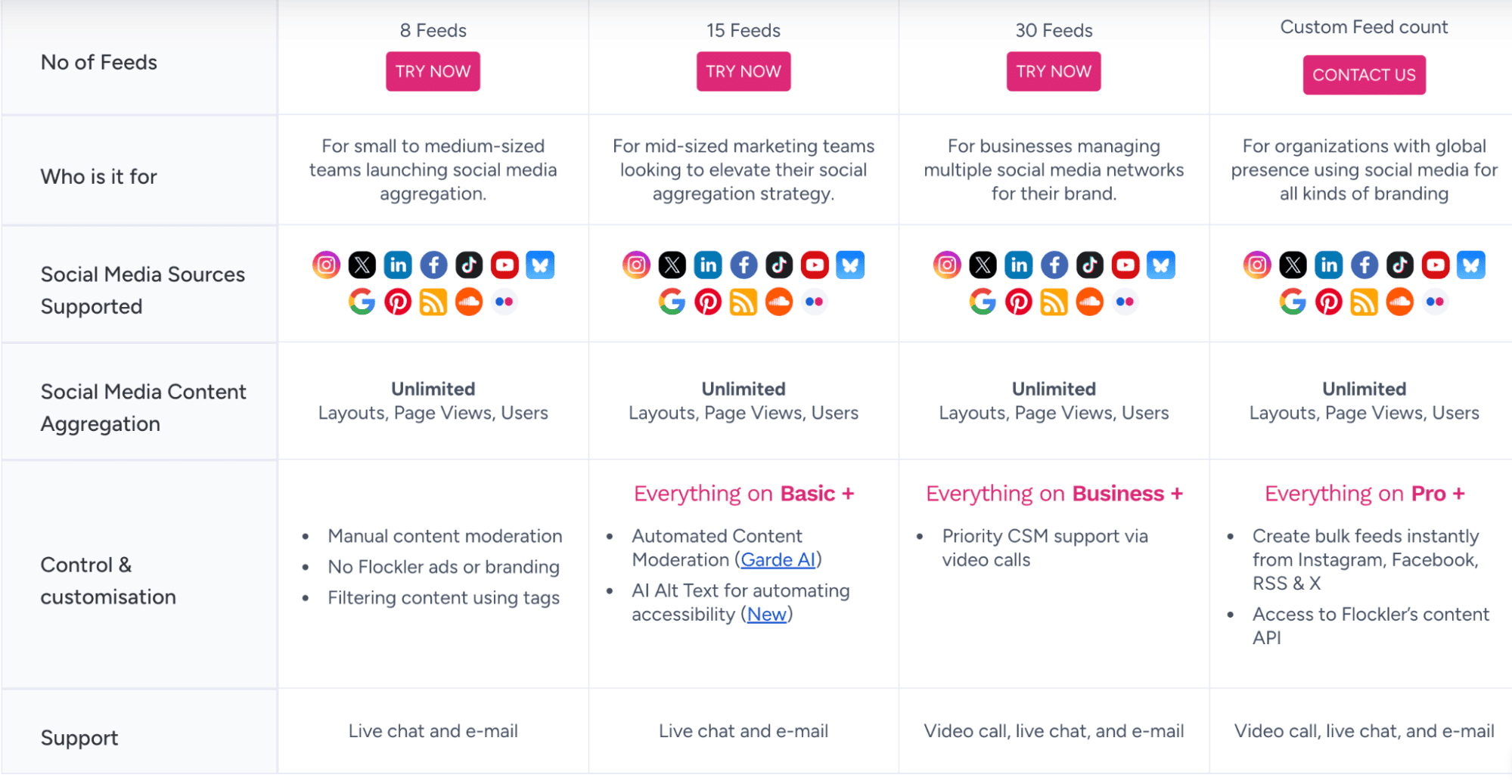
Pricing starts at $110/month billed annually for the Basic plan with 8 feeds. The Business plan gives you 15 feeds at $195/month. The Pro plan includes 30 feeds at $325/month. All plans come with unlimited layouts, page views, and users.
Where to Display UGC for Maximum Impact
Collecting UGC is only half the job. Where you place it on your site decides how much value it delivers. Here are the placements that work best:
- Your homepage: A social wall or carousel right on your homepage gives first-time visitors instant social proof. Before they explore a single product page, they already see that real people use and love your brand. It sets the tone for the entire visit.
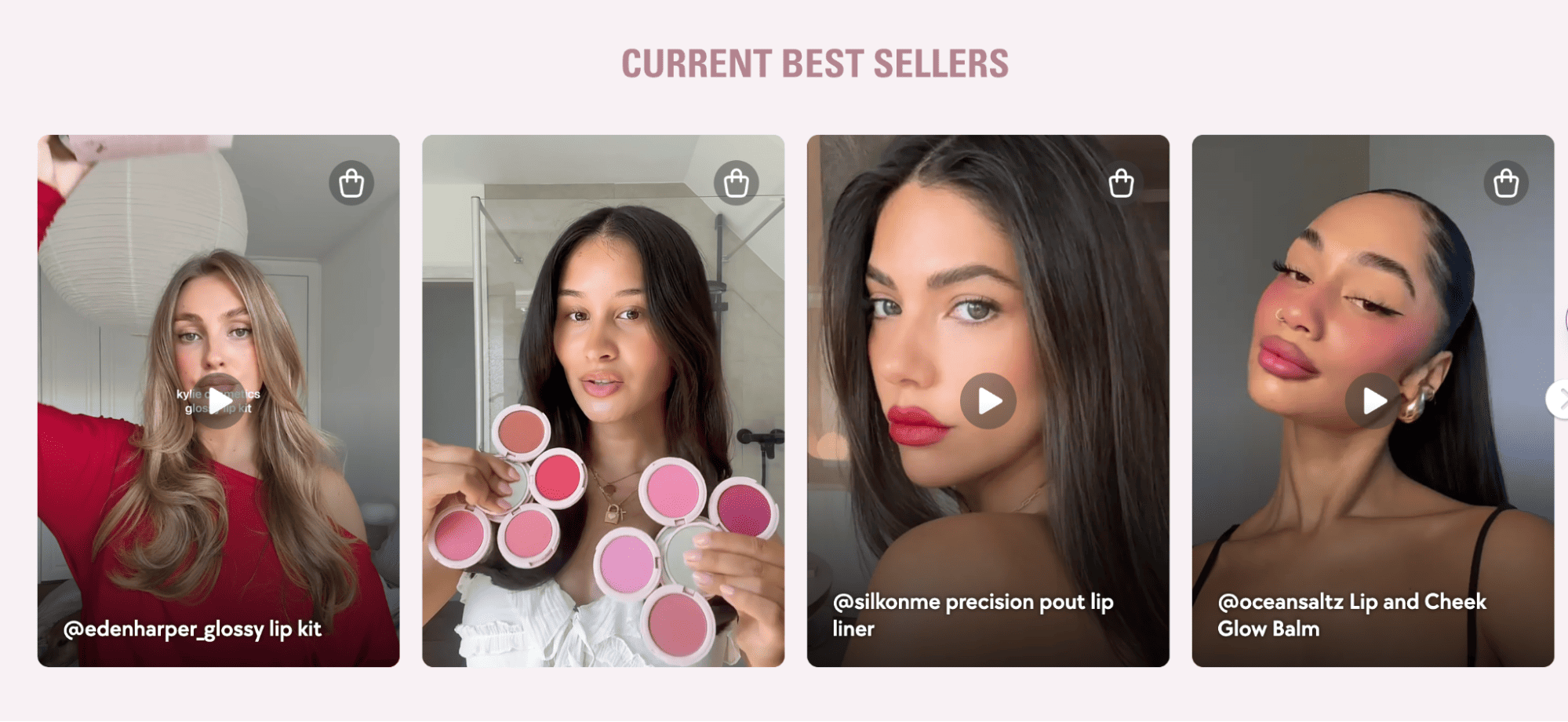
- Product pages: the most powerful spot for e-commerce brands. Showing tagged customer photos and reviews next to product descriptions helps hesitant buyers make a decision. Flockler also supports shoppable UGC galleries with product tagging. When a visitor clicks on a customer photo, the tagged product opens. Kylie Cosmetics does exactly this in its store, creating a seamless path from social proof to purchase.
- Campaign landing pages: Running a hashtag campaign? Display the collected posts right on the campaign page. When participants see their own content featured, they share even more. That creates a visible, growing community around your campaign.
- Event screens and digital signage: During conferences, product launches, or open days, live social walls displayed on screens encourage real-time sharing. Attendees post with your event hashtag, and their content appears on screen within minutes.
- Blog posts and articles: A curated UGC carousel inside your long-form content keeps readers scrolling. It adds visual proof to the points you're making and breaks up text-heavy pages.
- Intranets and internal tools: Companies such as the Deutsche Bundesbank embed social feeds into their internal platforms. It keeps employees connected to brand activity across channels without them having to check five different social apps.
Content Moderation and Rights Management
Curating social content on your site feels exciting, but it comes with a certain responsibility. You need to make sure every post that goes live is appropriate, on-brand, and legally cleared.
Content moderation is your first line of defense. It keeps spammy, offensive, or off-brand content from showing up on your website. Flockler gives you three moderation modes. Manual review through the Editor inbox works well for smaller volumes. Automated publishing with filters handles larger feeds. And Garde AI takes it a step further by automatically screening every incoming post and publishing only those that meet your brand-safety standards.
You need to update moderation regularly. Memes, slang, and trends shift fast. A moderation setup you built six months ago may not catch what's trending today. Review your guidelines regularly and adjust your filters as needed.
Rights management covers the legal side. Just because a customer's post is public on Instagram doesn't mean you can feature it on your website or in your ads without asking. Always request explicit permission first. It protects you legally and builds goodwill with people who create content about your brand. Flockler includes a built-in rights management feature that lets you request permissions directly through social channels and track consent in one place.
Tracking the Results of Your UGC Display
Once your feeds are live, you’ll want to see whether they move the needle. Here are the key metrics worth looking into:
- Time on site: Compare pages with UGC feeds against pages without them. User-generated content gives visitors more to explore, which keeps them around longer.
- Conversion rate: Check if pages with UGC convert better than those without. Even a small percentage improvement adds up when you're getting thousands of visitors.
- Engagement: Track clicks, shares, and interactions with your embedded feeds. This tells you which types of content your audience responds to best.
- Content volume: Keep an eye on how much UGC your campaigns generate over time. Brands that feature customer content prominently tend to receive more submissions. It creates a positive loop: the more you display, the more your customers create.
- Social channel growth: Embedded feeds on your site drive traffic back to your social profiles. That grows your follower count and organic reach over time.
Flockler includes built-in analytics to help you track these numbers and refine your approach. Use the data to figure out which content to feature, where to place your feeds, and how to shape future campaigns.
Best Way to Aggregate and Display UGC for Your Brand
You have the strategy. Now it's time to put it into action. Start by identifying where your customers are already creating content about your brand. Pick two or three high-impact placements on your site, like your homepage and top product pages. Then set up a social media aggregator to automatically pull that content in. The sooner you start displaying real customer content, the sooner it starts working for you.
FAQs
What Is the Best Way to Aggregate and Display UGC?
The most efficient way is to use a social media aggregator tool like Flockler. It connects to all major platforms. It automatically pulls content based on hashtags or accounts, lets you moderate posts, and provides embed codes for any website or digital screen. It's faster and more scalable than manual collection or native embeds.
Do I Need Coding Skills to Display UGC on My Website?
Not at all. Tools like Flockler handle everything without code. You connect your social sources, pick a layout, customize the design, and paste an embed code into your site.
Can I Combine UGC From Multiple Platforms in One Feed?
Yes, and that's one of the biggest advantages of using a social media aggregator. You can pull content from Instagram, TikTok, YouTube, Facebook, X, LinkedIn, and more into a single feed. Native embeds only show content from a single platform at a time, which can be limiting.
How Do I Keep Displayed UGC Brand-Safe?
Choose a tool with strong moderation features. Flockler offers manual review, automated filters, and Garde AI for automated content screening. Make it a habit to review your moderation rules regularly and update them as language and trends shift.